
Instructions
1. Click Patients in the left column
2. Open the desired Patient Profile
In the main dashboard, you'll see an area for Preferred Pharmacy:
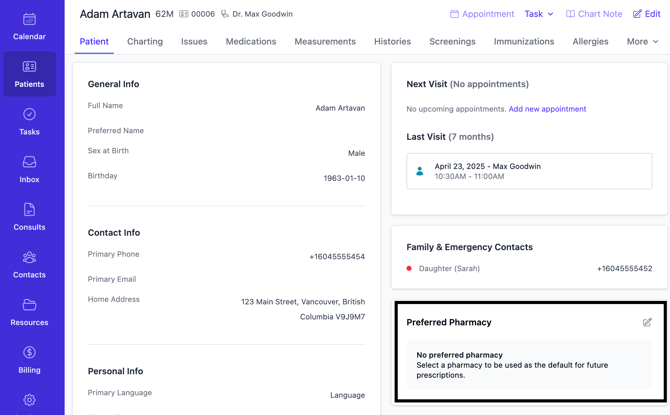
3. Click on the edit icon next to "Preferred Pharmacy"
4. Start to type in the name of the pharmacy - if it doesn't exist, click Create New Pharmacy and create it
5. Save
Additional Information
- You can pre-populate the list of Pharmacies in Aeon by using these instructions. Then you simply have to link them to patients as they choose their preferred one.